Introducing Avenza Maps Web
Skip the delays and email chains. Instantly share maps, control access, and keep your team in sync securely, across web and mobile.
How it works
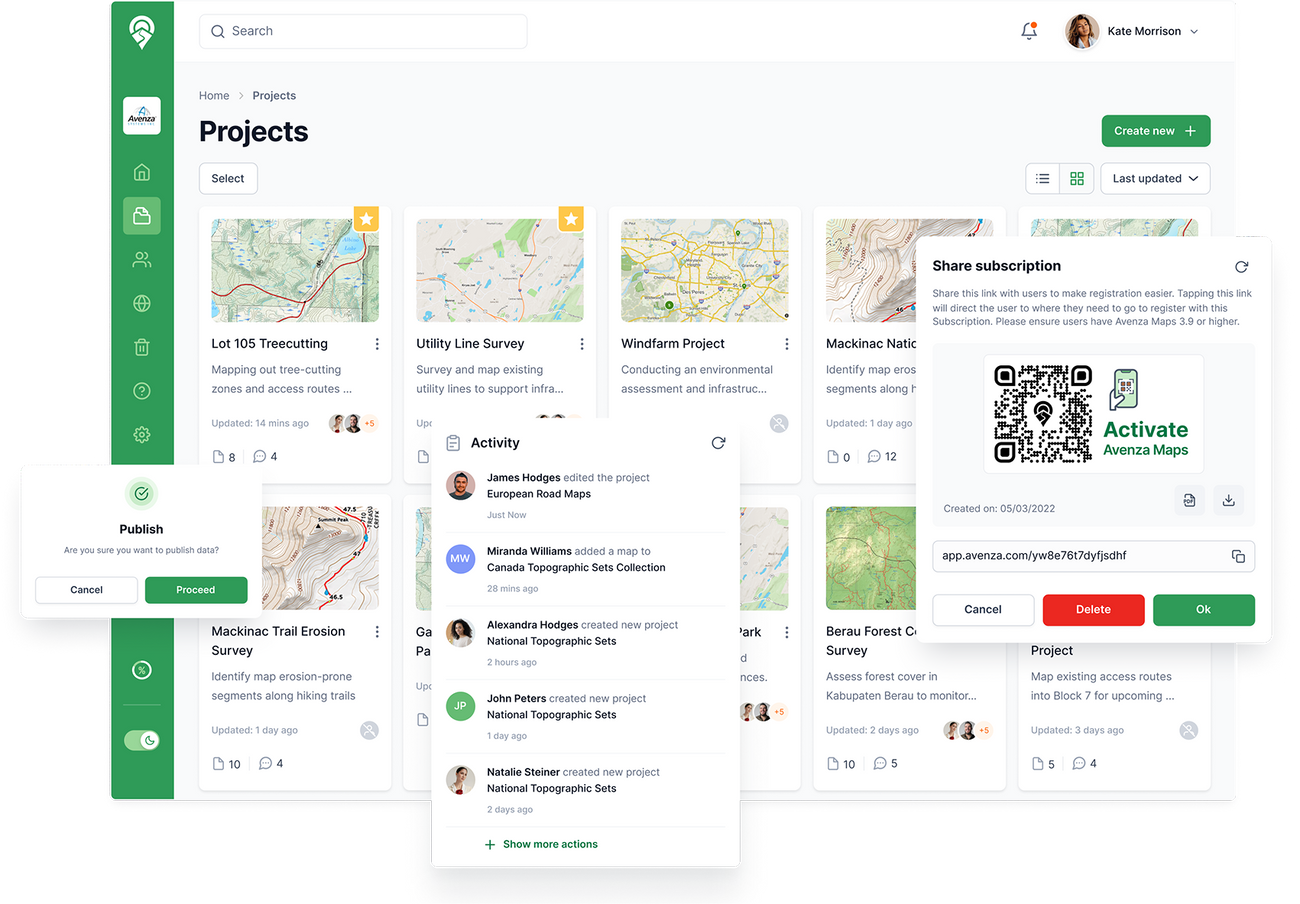
The platform is built to help you upload, manage, and securely share maps across your organization with seamless integration between web and mobile.
1. Upload your files
Easily drag and drop multiple map files directly into your project page all at once, no extra steps.

2. Share your maps
Distribute maps to your team instantly using a secure link or an automatically generated QR code.

3. Import maps on mobile
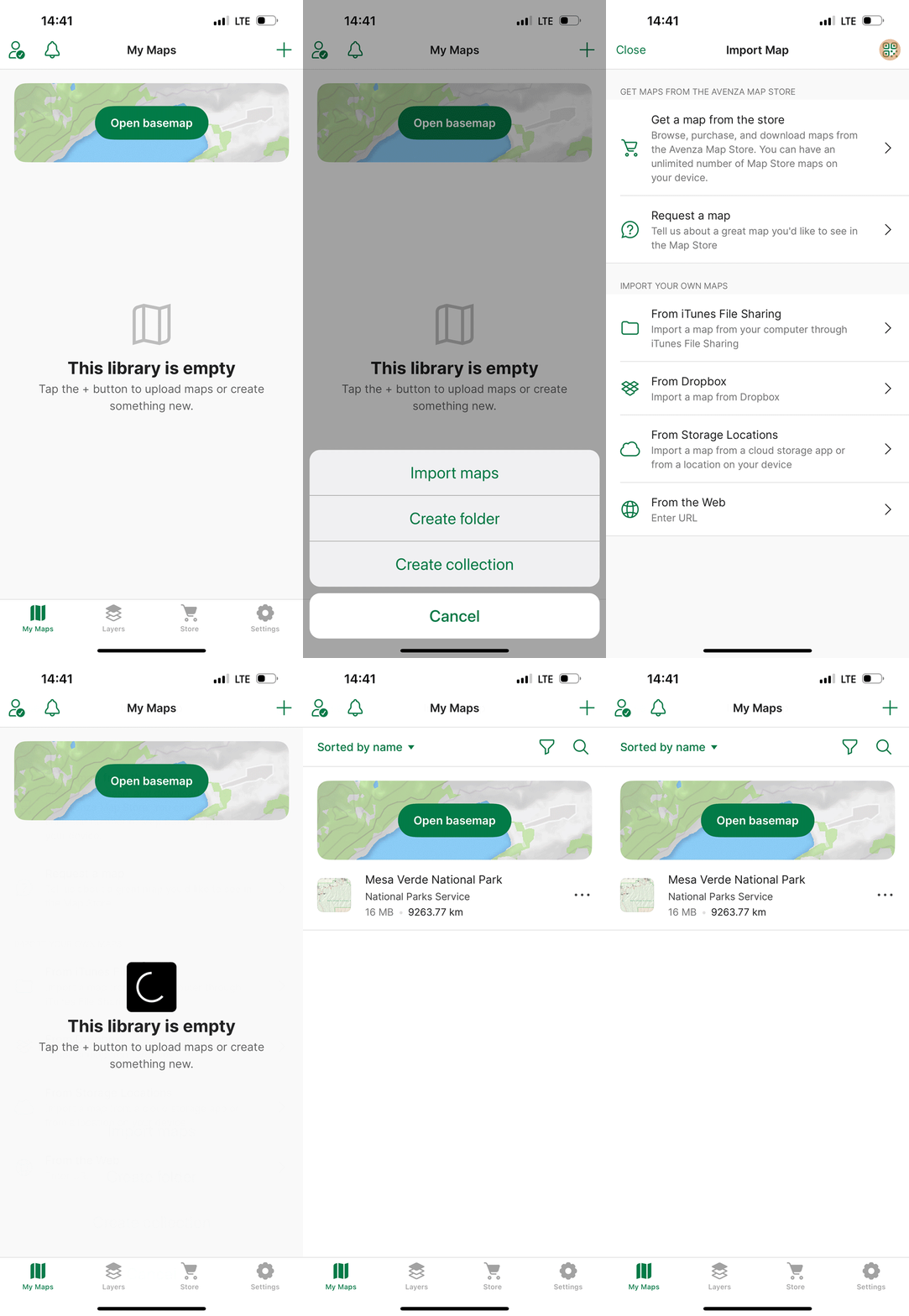
Your team can import maps into the Avenza Maps app immediately by scanning the QR code or using the shared link.
Why Avenza Maps Web



Ready to try Avenza Maps Web?
We’re building Avenza Maps Web around what matters most to users like you, guided by your feedback every step of the way. While the platform is still in development, core features are already live and ready to explore. If you’re interested in testing it out and contributing to its evolution, you can get early access by clicking below.
Try Avenza Maps Web Beta